Note, this isn't a tutorial for how to shade hair; that takes a bit more time than I feel like using at the moment. Instead, it's a walk-through of what types of tools to use and in what leaps to get certain effects in hair coloring. It's assumed that you know the basics about shading, and it's preferred that you use and be familiar with Jasc's Paint Shop Pro 7 in order to be in line with all the tools I've mentioned here. At some point, I may point out certain differences that could be done with Adobe Photoshop 7, but not at this time.
Know where to put highlights and how deep to make shadows takes a lot of time of studying. I've been guilty of starting to just watch the preacher at church (Associate Reformed Presbyterian:)) during low moments in the sermon and watching how the ceiling fan lights dance on his hair, and how they work with the backlighting from fluorescent lights in the back room.
Studying how shadows work isn't a quick thing to do, I've personally only been observing them actively for less than a year, and I still don't put all I've seen into practice, whether because I don't like the way it looks on the monitor, or I'm too lazy to try it.. But anyways, continue:)

Choose base, this one is one of Angy Chan's manga bases, make the clothes(didn't bother for this tutorial, but you'd like to have them on the top layer), new layer, draw outlines in a darker shade than you'd have the actual hair, then make sure that while it goes all the way around (closes) it's not more than one pixel wide whereever you can help it(except some corners)
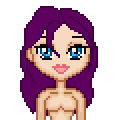
Select all the inside areas (which you can do because you have a closed 'circut' running around all of them..) and flood fill in a lighter shade. 'Hide marquee' (psp7) then 'lock transparency' (layers/properties/lock transparency, selections/hide marquee)
Switch to retouch tool, put it on Burn, first, one pixel wide, and if it's dark hair, 2 opacity, for lighter hair, it might be as much as four or six, or even over 10 if like light blonde.
Go around the outlines on the edges, not so much on the lighter sides (not at all on the edge exactly next to the light source) and darker on the edges away from the light, or hidden behind hair above.

Then, go back and work in some basic strands, always trying to plan for where you want the highlights, then burning around them. Behind the neck underneath will obviously almost always have more dark areas, and the strands towards the top of the head won't have as many.
Once you have the dark areas where you'd like, switch to the dodge tool, and for darker hair, use higher opacities. For very light hair, of course, you won't need more than 2.

First, work in all the obvious highlights that you set up by burning around a place for them. If dodging turns you up with a completely saturated color, try recoloring your hair to having the same hue, but perhaps a saturation of somewhere in 100-200 for odd hair, possibly lower for brown hair.

For different shades and colors in your hair, have a try at the saturation up and down tools, as well as hue up and down. If the areas you want aren't light or dark enough, gently weave some darken or lighten rbg in over them, but be careful, as those tend to take away from your saturation levels, leaving your colors less bright, so you might want to recolor. If such is the case, obviously darken and lighten *before* you adjust colors, otherwise it'll have been futile:)
